Deploy container ECR lên ECS Fargate: logs, kiểm tra và rollback
Lab triển khai một container từ ECR lên ECS Fargate bằng AWS CLI, giới hạn mạng theo IP, xem CloudWatch Logs, xác minh health, rollback revision và dọn chi phí.
Đọc nhanh trước khi bắt tay làm
- Một task public cho lab; không có TLS, load balancer hay tính sẵn sàng cao.
- Pin image bằng digest, tách execution role khỏi quyền ứng dụng.
- Kiểm tra health và HTTP trước khi giữ revision; dọn service để ngừng tính phí task.
Ghép các mảnh lại với nhau
- 01 →ECR digestImage Linux amd64 đã tồn tại
- 02 →Task definitionawsvpc, execution role, logs và health
- 03 →ECS serviceMột task Fargate trong public subnet
- 04 →Verify → rollback → cleanup
Trong bài này
Phạm vi và điều kiện chạy
Đây là hướng dẫn lab, chưa chạy trên tài khoản AWS; không có output triển khai được đo thực tế. Mục tiêu: một container HTTP, log tập trung, rollback có kiểm chứng. Không dùng cấu hình này cho production: thiếu TLS, load balancer và dự phòng.
Chuẩn bị AWS CLI v2, Bash, jq, curl; đăng nhập bằng profile SSO với role được tổ chức duyệt. Role người triển khai cần quyền ECS, đọc ECR/EC2, quản lý log group lab và iam:PassRole chỉ cho execution role bên dưới, với iam:PassedToService = ecs-tasks.amazonaws.com. Nhờ quản trị viên chuẩn bị IAM nếu không có quyền; không gắn AdministratorAccess.
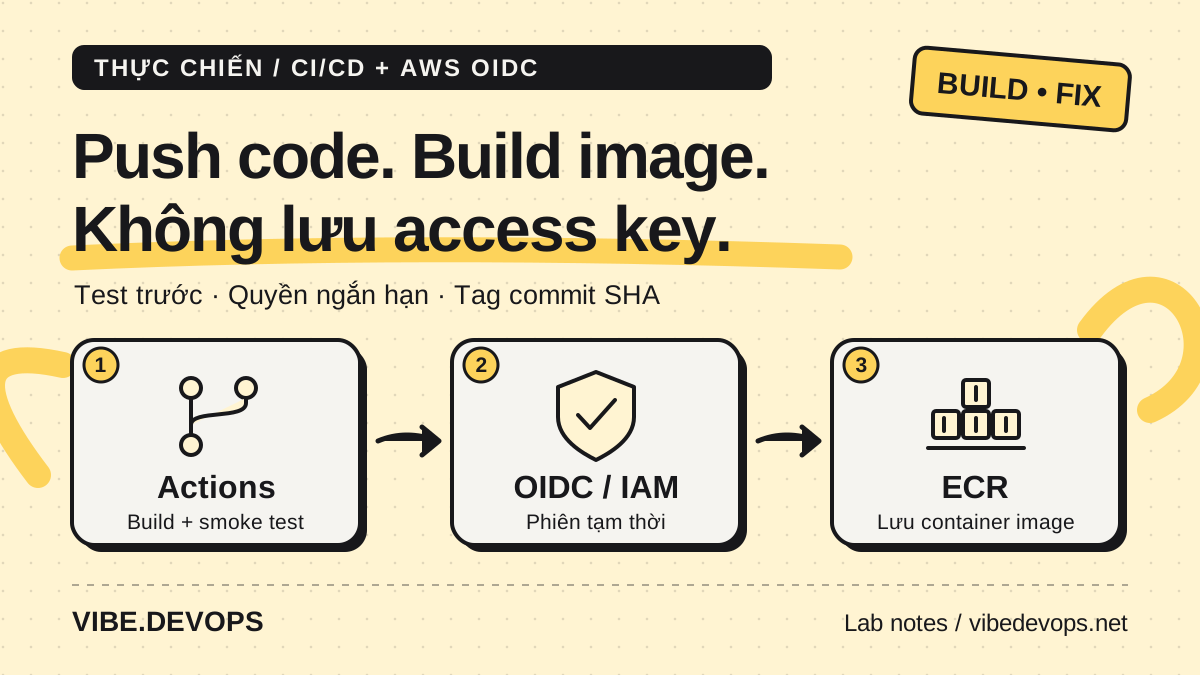
Cần image có sẵn trong ECR cùng account/region, Linux amd64, nghe 0.0.0.0:8080, trả HTTP 200 tại /health, có Python 3 với urllib.request, ghi log ra stdout/stderr. Có thể lấy image từ pipeline GitHub Actions OIDC → ECR, nhưng bài này không phụ thuộc pipeline đó. Nếu tự push, làm theo hướng dẫn ECR chính thức.[8]
Dùng VPC lab riêng đã có: public subnet với route 0.0.0.0/0 → Internet Gateway, DNS hoạt động, NACL cho phép lưu lượng phản hồi. Security group riêng chỉ mở TCP 8080 từ IPv4 hiện tại của bạn /32, egress HTTPS 443 cho ECR/Logs. Public IP giúp task ra ngoài mà không cần NAT.[3] Private subnet cần NAT hoặc đúng endpoints ECR API/DKR, S3 và Logs; không phải chỉ tắt public IP.
1. Khai báo phạm vi
Điền ID thật từ VPC Console, không sao chép ID ví dụ. Chọn tên lab mới; nếu tài nguyên trùng tên đã tồn tại, dừng và kiểm tra chủ sở hữu.
export AWS_PROFILE=lab-sso
export AWS_REGION=ap-southeast-1
aws sso login --profile "$AWS_PROFILE"
aws sts get-caller-identity
ACCOUNT=$(aws sts get-caller-identity --query Account --output text)
LAB=ecs-http-lab-20261021
REPO=your-existing-lab-repository
TAG=REPLACE_WITH_EXISTING_TAG_OR_COMMIT_SHA
SUBNET=subnet-REPLACE
SG=sg-REPLACE
LOG_GROUP=/ecs/$LAB
ROLE_NAME=$LAB-execution
EXEC_ROLE=arn:aws:iam::$ACCOUNT:role/$ROLE_NAME
DIGEST=$(aws ecr describe-images --repository-name "$REPO" \
  --image-ids imageTag="$TAG" --query 'imageDetails[0].imageDigest' --output text)
IMAGE=$ACCOUNT.dkr.ecr.$AWS_REGION.amazonaws.com/$REPO@$DIGEST
aws ec2 describe-subnets --subnet-ids "$SUBNET"
aws ec2 describe-security-groups --group-ids "$SG"
Đối chiếu account, VPC và rule /32 trước khi tiếp tục. Digest tránh thay đổi image ngoài ý muốn khi tag bị ghi đè.
2. Execution role và CloudWatch Logs
Execution role cho ECS agent kéo image, gửi log; task role dành cho code ứng dụng gọi AWS. Lab không gọi AWS nên bỏ taskRoleArn.[2]
Trong IAM Console → Roles → Create role → Custom trust policy, dùng JSON sau; đặt tên đúng $ROLE_NAME sau khi thay bằng giá trị thực. Không chọn managed policy rộng. Tạo inline permission policy ở bước tiếp theo.[2]
{
  "Version": "2012-10-17",
  "Statement": [{
    "Effect": "Allow",
    "Principal": {"Service": "ecs-tasks.amazonaws.com"},
    "Action": "sts:AssumeRole"
  }]
}
IAM → role vừa tạo → Add permissions → Create inline policy → JSON. Thay ACCOUNT, REGION, REPO, LAB bằng giá trị thực; chỉ GetAuthorizationToken cần resource *.[2]
{
  "Version": "2012-10-17",
  "Statement": [
    {
      "Effect": "Allow",
      "Action": "ecr:GetAuthorizationToken",
      "Resource": "*"
    },
    {
      "Effect": "Allow",
      "Action": ["ecr:BatchCheckLayerAvailability", "ecr:GetDownloadUrlForLayer", "ecr:BatchGetImage"],
      "Resource": "arn:aws:ecr:REGION:ACCOUNT:repository/REPO"
    },
    {
      "Effect": "Allow",
      "Action": ["logs:CreateLogStream", "logs:PutLogEvents"],
      "Resource": "arn:aws:logs:REGION:ACCOUNT:log-group:/ecs/LAB:log-stream:*"
    }
  ]
}
Đặt tên inline policy lab-pull-and-logs. Tạo log group trước để execution role không cần logs:CreateLogGroup. Driver awslogs thu stdout/stderr, không tự đọc file log trong container.[6]
aws logs create-log-group --log-group-name "$LOG_GROUP"
aws logs put-retention-policy --log-group-name "$LOG_GROUP" --retention-in-days 1
aws ecs create-cluster --cluster-name "$LAB"
3. Đăng ký task và tạo service
Fargate yêu cầu awsvpc; cặp 256 CPU/512 MiB hợp lệ cho Linux. Khai báo X86_64 khớp image amd64.[1] Health check chạy bên trong container, vì vậy image cần có lệnh python. Ví dụ dùng đúng ứng dụng Python ở bài CI liên kết phía trên, không phụ thuộc binary curl trong image.[5]
jq -n --arg family "$LAB" --arg image "$IMAGE" \
  --arg role "$EXEC_ROLE" --arg region "$AWS_REGION" --arg logs "$LOG_GROUP" '
{
  family: $family,
  networkMode: "awsvpc",
  requiresCompatibilities: ["FARGATE"],
  cpu: "256", memory: "512",
  runtimePlatform: {operatingSystemFamily: "LINUX", cpuArchitecture: "X86_64"},
  executionRoleArn: $role,
  containerDefinitions: [{
    name: "app", image: $image, essential: true,
    portMappings: [{containerPort: 8080, protocol: "tcp"}],
    healthCheck: {
      command: ["CMD", "python", "-c", "import urllib.request; urllib.request.urlopen(\"http://127.0.0.1:8080/health\", timeout=2).read()"],
      interval: 15, timeout: 5, retries: 3, startPeriod: 30
    },
    logConfiguration: {
      logDriver: "awslogs",
      options: {"awslogs-group": $logs, "awslogs-region": $region,
                "awslogs-stream-prefix": "app", "mode": "non-blocking",
                "max-buffer-size": "1m"}
    }
  }]
}' > task.json
jq empty task.json
TD=$(aws ecs register-task-definition --cli-input-json file://task.json \
  --query 'taskDefinition.taskDefinitionArn' --output text)
GOOD_TD=$TD
jq -n --arg subnet "$SUBNET" --arg sg "$SG" \
  '{awsvpcConfiguration:{subnets:[$subnet],securityGroups:[$sg],assignPublicIp:"ENABLED"}}' > network.json
aws ecs create-service --cluster "$LAB" --service-name "$LAB" \
  --task-definition "$TD" --desired-count 1 --launch-type FARGATE \
  --platform-version 1.4.0 --network-configuration file://network.json \
  --deployment-configuration 'minimumHealthyPercent=100,maximumPercent=200,deploymentCircuitBreaker={enable=true,rollback=true}'
aws ecs wait services-stable --cluster "$LAB" --services "$LAB"
Trong rolling update có thể tạm chạy hai task, tăng chi phí. Circuit breaker chỉ rollback được khi có deployment trước đó ở trạng thái COMPLETED; lần đầu thất bại chưa có bản tốt để quay lại.[4]
4. Xác minh, không chỉ nhìn RUNNING
aws ecs describe-services --cluster "$LAB" --services "$LAB" \
  --query 'services[0].{deployments:deployments,events:events[0:5]}'
TASK=$(aws ecs list-tasks --cluster "$LAB" --service-name "$LAB" \
  --query 'taskArns[0]' --output text)
aws ecs describe-tasks --cluster "$LAB" --tasks "$TASK" \
  --query 'tasks[0].{status:lastStatus,health:healthStatus,containers:containers}'
ENI=$(aws ecs describe-tasks --cluster "$LAB" --tasks "$TASK" \
  --query 'tasks[0].attachments[0].details[?name==`networkInterfaceId`].value | [0]' --output text)
IP=$(aws ec2 describe-network-interfaces --network-interface-ids "$ENI" \
  --query 'NetworkInterfaces[0].Association.PublicIp' --output text)
curl --fail --max-time 10 "http://$IP:8080/health"
aws logs tail "$LOG_GROUP" --since 10m
Chỉ giữ GOOD_TD khi health là HEALTHY, rollout COMPLETED, HTTP thành công và log đúng ứng dụng. Chạy curl từ IP đã allowlist; public IP có thể đổi khi task thay thế.
Nếu waiter timeout, đọc events thay vì tạo service lần nữa. CannotPullContainerError: kiểm tra digest, execution role, mạng. ResourceInitializationError: kiểm tra log group, quyền Logs và HTTPS egress. Health fail: kiểm tra endpoint, thời gian khởi động, binary python. HTTP ngoài máy timeout nhưng health tốt: kiểm tra /32, route, NACL và public IP.
5. Revision mới và rollback
Chỉ dùng digest mới đã kiểm thử local; không dùng tag latest. Lưu ARN tốt vào ghi chú lab trước khi đổi terminal.
NEW_IMAGE=REPLACE_WITH_FULL_ECR_URI_AT_SHA256_DIGEST
jq --arg image "$NEW_IMAGE" '.containerDefinitions[0].image=$image' task.json > task-next.json
NEXT_TD=$(aws ecs register-task-definition --cli-input-json file://task-next.json \
  --query 'taskDefinition.taskDefinitionArn' --output text)
aws ecs update-service --cluster "$LAB" --service "$LAB" --task-definition "$NEXT_TD"
aws ecs wait services-stable --cluster "$LAB" --services "$LAB"
# Khi cần rollback thủ công:
aws ecs update-service --cluster "$LAB" --service "$LAB" --task-definition "$GOOD_TD"
aws ecs wait services-stable --cluster "$LAB" --services "$LAB"
Lặp lại bước xác minh với task/IP mới. Waiter thành công không chứng minh bản mới được giữ: circuit breaker có thể đã rollback. Đối chiếu task definition đang chạy với NEXT_TD hoặc GOOD_TD theo mục tiêu.
6. Dọn đúng tài nguyên, ngừng chi phí
Có phí Fargate, public IPv4, Logs, ECR storage và data transfer; đừng mặc định free tier. NAT/endpoints nếu chọn phương án private cũng có phí.[7] ECR vẫn lưu image sau khi dừng task.
aws ecs update-service --cluster "$LAB" --service "$LAB" --desired-count 0
aws ecs wait services-stable --cluster "$LAB" --services "$LAB"
aws ecs delete-service --cluster "$LAB" --service "$LAB"
aws ecs wait services-inactive --cluster "$LAB" --services "$LAB"
aws ecs delete-cluster --cluster "$LAB"
aws ecs deregister-task-definition --task-definition "$GOOD_TD"
# Chỉ chạy nếu đã đăng ký revision mới:
# aws ecs deregister-task-definition --task-definition "$NEXT_TD"
aws logs delete-log-group --log-group-name "$LOG_GROUP"
aws iam delete-role-policy --role-name "$ROLE_NAME" --policy-name lab-pull-and-logs
aws iam delete-role --role-name "$ROLE_NAME"
Đối chiếu danh sách task còn chạy bằng list-tasks; nếu lệnh xóa lỗi, xử lý đến khi hết tài nguyên lab. Không xóa VPC, subnet, SG hay ECR dùng sẵn. Chỉ xóa image/repository riêng khi xác nhận không ai dùng digest đó; kiểm tra ECR storage và Billing sau lab. Deregister revision không xóa image.
Sources
[1] https://docs.aws.amazon.com/AmazonECS/latest/developerguide/task_definition_parameters.html — AWS task [2] https://docs.aws.amazon.com/AmazonECS/latest/developerguide/task_execution_IAM_role.html — AWS role [3] https://docs.aws.amazon.com/AmazonECS/latest/developerguide/fargate-task-networking.html — AWS network [4] https://docs.aws.amazon.com/AmazonECS/latest/developerguide/deployment-circuit-breaker.html — AWS rollback [5] https://docs.aws.amazon.com/AmazonECS/latest/developerguide/healthcheck.html — AWS health [6] https://docs.aws.amazon.com/AmazonECS/latest/developerguide/using_awslogs.html — AWS logs [7] https://aws.amazon.com/fargate/pricing — AWS price [8] https://docs.aws.amazon.com/AmazonECR/latest/userguide/docker-push-ecr-image.html — AWS ecr